PDF Owl: What's New in Version 1.4
June 8, 2026
Hierarchical ToC generation (beta)
You can now generate a ToC with a proper hierarchy of chapters, sections, and subsections. Instead of a flat list of bookmarks, PDF Owl now creates a tree structure that matches your document. The feature runs locally on your machine, as usual, without any need to send your data to the cloud.
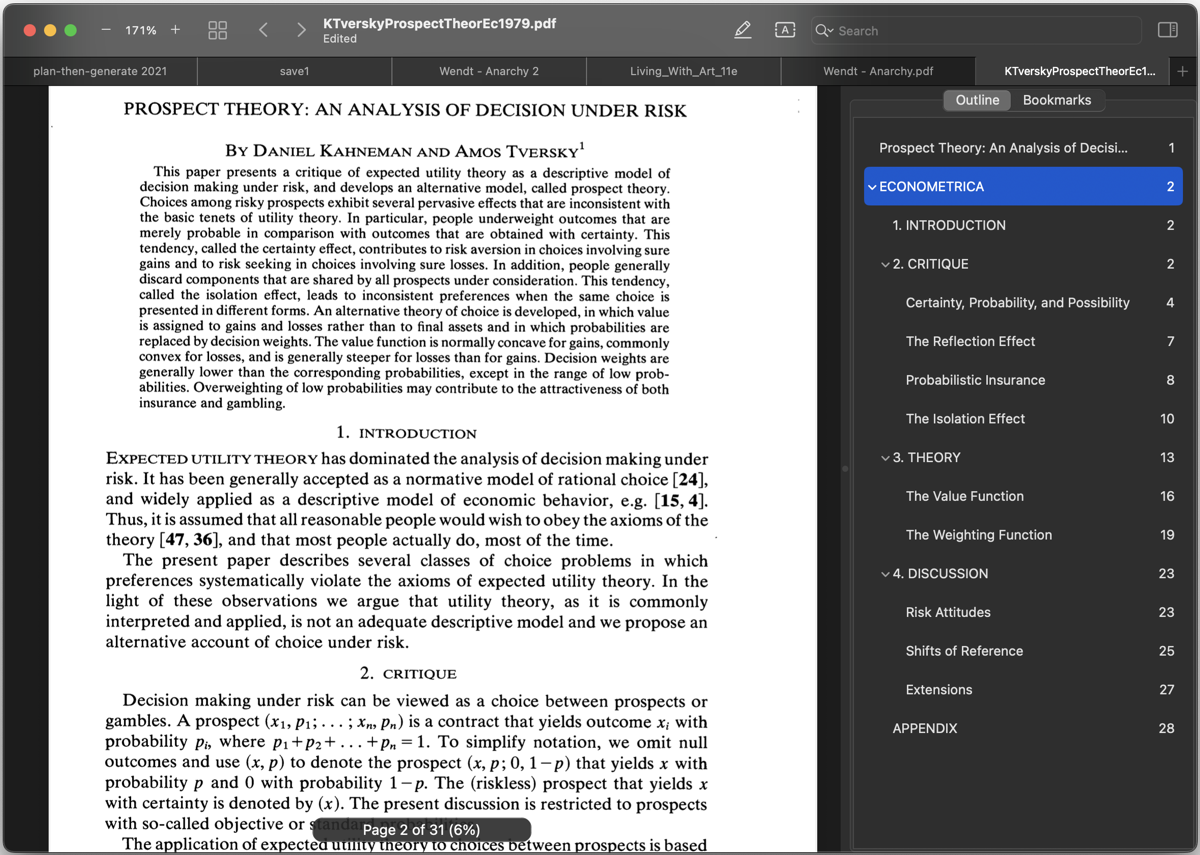
We also added a few outline context menu options for more precise control over the ToC tree:
- "Promote Item in Hierarchy" moves the item one level up and makes it a sibling of its parent item.
- "Demote Item in Hierarchy" moves the item down as a child of the preceding item.
As usual, you can drag and drop items to rearrange them, but the new options make it easier to work with whole levels of the tree.
Finally, the "Flatten" menu option removes the hierarchy and creates a flat list of items, as in previous versions.
Outline transformation options
The new "Transform" context menu for outline items lets you normalize the case of outline text, among other options. For example, if outline items are all written in capital letters, as in "CAPITAL LETTERS", you can change them to title case, as in "Capital Letters".
New toolbar for controlling the zoom level
New toolbar buttons let you zoom the file in and out. You can add or remove toolbar items from the Edit > Customize Toolbar menu.
Improved models and bug fixes
We improved the quality of the AI models and made a number of bug fixes and other improvements.
Apps
Studio
Designed and built in the city of New York.
© 138th Street Studio, 2024-2026.